Download our Free Editable Pantry Labels and organize your whole kitchen with one of our 3 labels style.
You can download and edit every single label to whichever word/item you need or have for your pantry.
This tutorial might look a little scary but I promise you that the only thing you have to do is to follow the instructions and you will have the perfect Pantry in no time.

NOTE: This post contains affiliate links, which means that if you make a purchase using one of the links in this article, I may earn a commission at no extra cost to you (To know more about this, click here.)
Confesión time
I rarely set foot in the kitchen.
Honestly.
If it weren’t for my refrigerator and coffee maker living there, I would probably never be there.
If you’ve already read a few articles from this blog, you’re probably familiar with the fact that I hate cooking.
I only cook to feed myself and keep living.
But apart from that, I avoid it at all costs.
Another thing you might know if you have been around here is that I am an organization freak.
This leads us to today’s post and our free editable printable labels.

Ever since organization became cool, I have been dreaming about organizing my whole pantry.
I’ve spent hours scrolling through Instagram’s feed with the perfect pantry’s organization.
The same hours that my own pantry has been in a state of complete disaster.
I am sure you know the feeling.
When you open the door and it’s so cluttered and messy that you don’t even want to try.
So, this weekend I decided that had to change.
It was time to take matters into my crafty hands and make my pantry dreams come true.
Who knows…
Maybe with this new order, the desire to cook will finally arise.
How do I categorize my pantry?
A very simple way to organize your pantry is by using these free editable labels that are already categorized for you. The categories are split into baking goods, common staples, basic herbs and spices, and oils. The only thing you’ll have to do is print and paste.

Mason jars have always been my way to go when it comes to organization.
I have used them in my sewing room to get my small notions in order.
And now, I am also using them for my pantry.
You can always clean and reuse old jars if you don’t want to spend a lot of money.
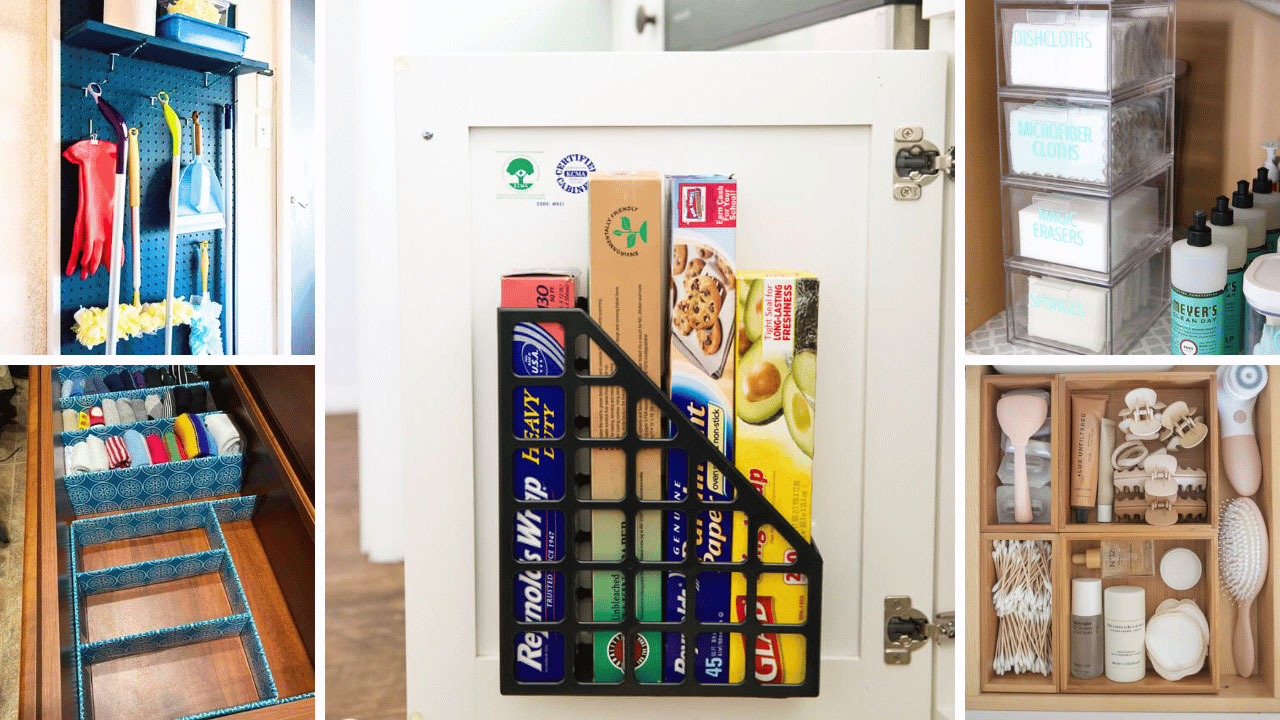
But if you rather save time there are a lot of pantry container options you can choose from.
Here are a few of them.
What can I use for pantry labels?
There are a lot of options out there that you can use for pantry labels. For example, you can get pre-made Pantry labels from Amazon that already have the names of all the products of the kitchen written. Another thing you can do is to buy Chalk labels to her right by hand the names of your own items.
You can also get our free printable labels indisposed and make them from the comfort of your home. You can even edit the names on the labels to match the items you have in your kitchen.
But if you want to avoid all of that you can always go simple and write items in a Word document and choose a pretty font to print it with.
You can choose the label tape method that I use to organize my sewing notions.
Or you can get this special transparent label paper from Amazon, to make things even quicker.
Free Editable Pantry Labels
We have available for you 3 different styles of labels.
The first ones and the ones you probably came here for are our standard “only words” labels. These come in two different sizes so you can choose whichever fits your containers better.
Also, they are fully editable to write the items you exactly need.

But hang on in there.
Because I have also made another 2 extra beautiful and stylized editable printable pantry labels. They are also fully editable and have a lot of your essential pantry items already written.

You can have all 3 of the label’s styles with an instant download for only 1 little dollar!! You can go and grab the full kit of labels here right now.


I used Style 1 for this tutorial and for my whole pantry organization. Check for yourself but I think they came out pretty great!

How to use your Editable Pantry Labels
1. Edit the words.
In order to use and edit these labels open your files in Adobe Reader or Adobe DC. You can also use your preferred browser to open the document.
To change the words on the labels, click over them, select and overwrite the word you want to change.
Each word has its own editable rectangle so if you want to modify the labels with two words on them you’ll have to change one word at a time.

2. Print.
Once you are happy with the content of each label go to File>Print.
Modify the settings so you print only with black ink only.
Select “fit to page” and normal to high quality in the printing options.
If you are using the sticker label paper to print, test one sheet on regular paper first to check out which side of the paper goes up.
After that place your desired print paper into your printer and hit print.
Then, after it is printed, let it dry for a few minutes.
3. Cutting your labels.
I recommend using scissors and a rotatory cutter to have a better and cleaner finish on your labels.
Make sure you don’t cut too close to the border of the stylized labels. On the other hand, if you are using the free labels printable version cut right inside the lines of the rectangle.

4. Applying the labels.
Now you are ready to stick the labels in your containers.
Make sure you clean and dry the container first.

5. If the font changes.
When you overwrite the highlighted word in the pdf document the font should stay the same. If it doesn’t then you have to do the following:
- Set Adobe Acrobat to be the default reader for PDFs tutorial here.
- Open Adobe Acrobat and go to Preferences> Page Display and under Rendering uncheck “use local fonts”. Save changes.
- Close everything and restart your computer.
- Now you should be able to edit without any font issues.
I hope you enjoyed this tutorial and that you can get a beautifully organized pantry thanks to this. Let me know how it went in the comments below.
Do you enjoy our freebies?? Support us so we can keep making freebies for you by buying us a cup of coffee here. We will be forever grateful!
Don’t forget to follow us on Social Media!!